
1
Campaigns directly in the CRM
Marketing campaigns are planned in the same system that runs sales. Lead source per campaign, tags and segments for targeted outreach, hit rate visible all the way to the won engagement.
With the campaign management tool in teamspace you plan, run and measure B2B marketing campaigns directly in the CRM. Tags, segments, lead sources, hit-rate analysis and seamless handover to the sales pipeline. Part of teamspace CRM software, no module surcharge.
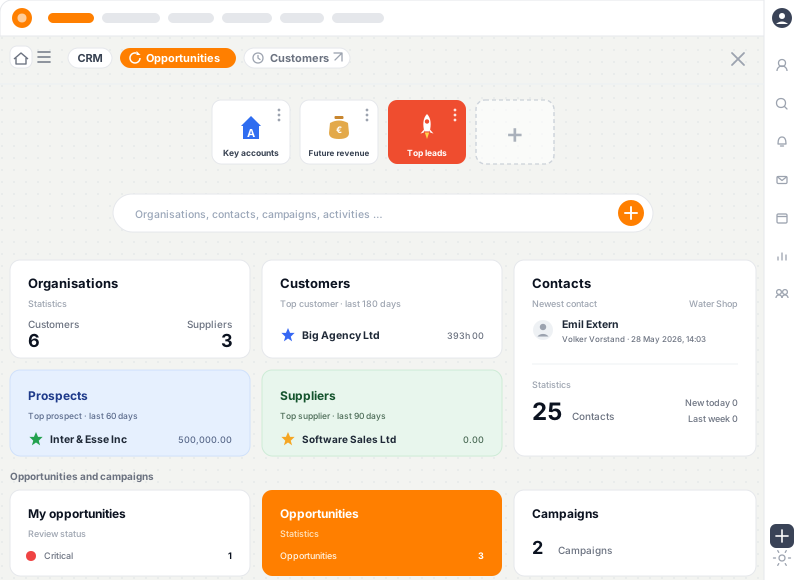
Marketing campaigns are planned in the same system that runs sales. Lead source per campaign, tags and segments for targeted outreach, hit rate visible all the way to the won engagement.
Contact lists by industry, size, region, existing customer, lead stage. Tags and custom fields enable targeted selection. Lists exportable to external newsletter tools like CleverReach or Mailchimp.
Per campaign you see lead count, conversion rate, weighted pipeline and actual revenue won. Marketing efficiency measurable rather than gut feel.
Campaign name, target audience, channels, budget, owners. Tags and lead source are configured so every lead is automatically assigned to the campaign.
Contact list from the CRM, filtered by industry, size, region or status. Existing customers and cold contacts addressable separately.
Newsletter via external tools (CleverReach, Mailchimp), events, LinkedIn campaigns or direct mail. Responses land automatically in CRM with the campaign's lead source.
Inbound leads are qualified, sales picks up with the lead source. Pipeline stage and forecast contribution calculated automatically.
Lead count, conversion rate, weighted pipeline, revenue won per campaign. Drill-down to individual leads. Marketing efficiency in the quarterly review.
A campaign management tool plans, runs and measures marketing activity, from the first webinar to the won engagement. In B2B service firm growth, the goal is rarely mass mailing to hundreds of thousands. It is targeted outreach to defined audiences with measurable contribution to the pipeline.
teamspace integrates campaign management directly in CRM. Create a campaign, filter the audience from the contact base, configure the lead source. Inbound leads land automatically in the pipeline with campaign attribution. Per campaign you see at quarter-end which revenue resulted.
The advantage of integrated campaign management is direct handover to sales. In classic setups, marketing tool, CRM and sales run separately. Leads from a newsletter action land in a list, then have to be moved into CRM, qualified, assigned to the pipeline. Lead source often gets lost, ROI stays unclear.
teamspace solves this in one data foundation:
Good B2B campaigns live off precise segmentation. teamspace supports this with tags, custom fields, segments as saved filter combinations, separation of existing customers and cold contacts, lead stage and industry as standard fields, group and subsidiary filters for account-based marketing.
teamspace doesn’t replace a dedicated email marketing tool, it integrates: CleverReach, Mailchimp, Brevo for email send-out, REST API for custom integrations, UTM parameters for LinkedIn and Google Ads, web-form connection for lead capture, CSV export and import for event lists. Responses and signups flow back automatically with correct lead source.
Marketing ROI in B2B is notoriously hard to measure because months pass between lead and engagement. teamspace links the data points: lead count per campaign, conversion rate at every stage, weighted pipeline from campaign leads, actual revenue per campaign once engagements are won, ROI from the ratio of budget to revenue generated, drill-down to individual leads and engagements.
Marketing contacts are particularly GDPR-sensitive. Consent, opt-out, retention periods are built in. Hosting in an ISO-27001-certified data centre in Frankfurt am Main, contracting party 5 POINT AG under German law.
In the 15-minute requirements check we walk through campaign management on a sample.
In the requirements check we discuss your marketing channels, segments and lead workflow.