
How we use teamspace ourselves
teamspace is used end-to-end in our own company. In this video we share how we use it day-to-day and how you can do the same.
To help you get up and running quickly, we have gathered the most useful ways in here: videos for the overview, hands-on exercises and the detailed step-by-step guides in the help center. If you would rather talk to us directly, simply book a call.
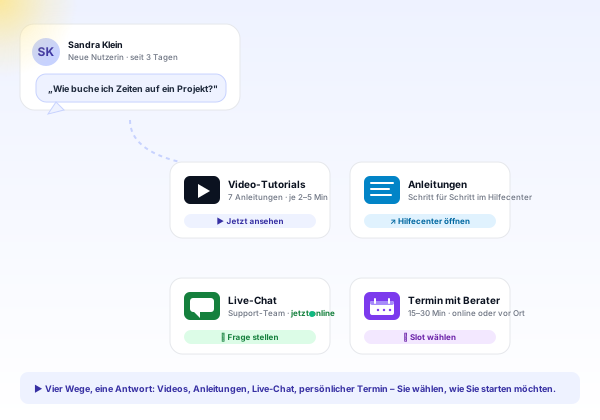
Learning a new piece of software can feel overwhelming, even with onboarding from a colleague. These videos walk you through the most important topics step by step.
teamspace is used end-to-end in our own company. In this video we share how we use it day-to-day and how you can do the same.
The fundamentals of process billing in one video. See the full flow from initial quote to paid invoice.
teamspace is made up of several modules. Which modules fit your business is best discussed with your advisor — get a first overview in this video.
The controls you need to use teamspace effectively, explained in this short video.
Once you have started your test phase, you have every option to explore the software. This video gives valuable tips on how to make the test phase productive.
Rolling out a new piece of software company-wide can feel overwhelming. Get valuable tips on how to make the introduction of teamspace easier in your company.
You have access to the test version and do not know where to start? In this video we suggest sensible exercises to learn the practical basics in the software.
Help center
We keep the detailed guides with screenshots in one place in the help center, where they always reflect the current state of the software and walk you through the most important tasks.
Layout, navigation and the three most important controls of the software at a glance.
Learn moreHow to add clients and contacts in a structured way in the CRM.
Learn moreBring budget, phases and team together in one project.
Learn moreCapture hours in the browser, in the app or at the terminal on the right project.
Learn moreFrom blank document to sent quote, with positions and discounts.
Learn moreCaptured services become a finished invoice, including e-invoicing.
Learn moreRequirements check
You have questions about the rollout, or would like to get to know teamspace at your own pace? In a short call we look at your requirements together and show how the start could look in your company.
How a first contact turns into an invoice is shown by the end-to-end walkthrough “From quote to invoice” in the help center — from adding the organisation through quote and order to the finished invoice, all on a single example.
The help center holds every help topic on the software, from initial setup to the individual modules. Every Tuesday from 2 to 3 pm our team also answers your questions live in the support office hour.
You have questions about the rollout? In a 15- to 30-minute meeting we discuss your specific requirements, free of charge and without obligation.