
Created from the finished invoice
- The data comes from recorded hours, orders and price lists.
- ZUGFeRD and XRechnung are created automatically on sending.
- No converter, no retyping, no detour via a second tool.
You write the invoice as usual, and ZUGFeRD and XRechnung are created in the process automatically. teamspace reads incoming e-invoices the same way. All of this sits inside the billing function, with no second program and no converter.
Overview
Anyone already issuing invoices in teamspace does not need to buy anything extra for e-invoicing. The three points that matter day to day.
Two formats, one invoice
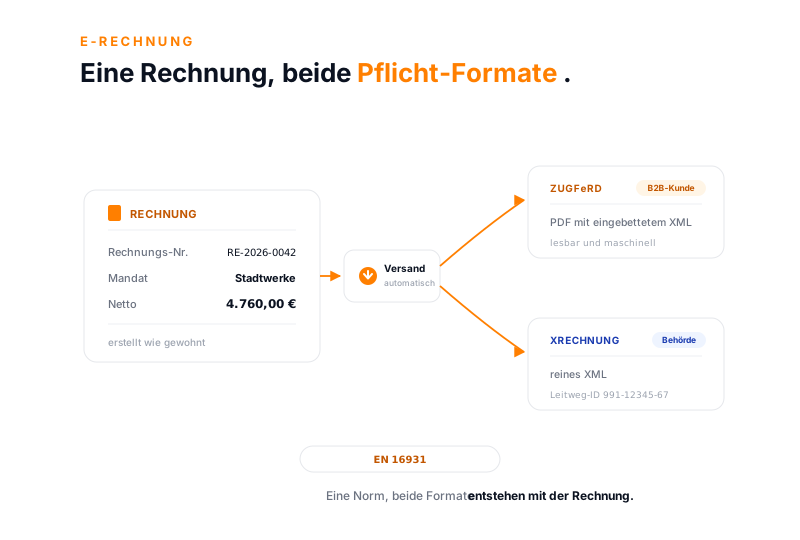
Once e-invoicing is active, teamspace generates both formats for every invoice. All you choose is which one goes to whom.
Mandat Stadtwerke · Beratung
ZUGFeRD
B2B-KundePDF mit eingebettetem XML
lesbar und maschinell
XRechnung
Behördereines XML
Leitweg-ID 991-12345-67
Why now
The e-invoicing requirement in B2B trade comes from the German Growth Opportunities Act and applies in stages. Since 1 January 2025 every domestic business must be able to receive and process e-invoices, without the sender having to agree beforehand. A PDF by email does not meet this requirement, because it lacks the structured format.
A few cases stay outside the scope: small-amount invoices up to 250 euros, transport tickets and invoices to private individuals. Many businesses already issue XRechnung to public authorities anyway. Anyone who sets up receiving early simply has to switch sending on later.
The comparison
Both formats are legally recognised and follow the same standard EN 16931. Public authorities get the XRechnung, where it is mandatory; corporate customers usually get ZUGFeRD. teamspace generates both automatically, you only choose the recipient.
Feature
ZUGFeRD
XRechnung
In 15 minutes
Which recipients expect which format from you?
We go through your e-invoicing case together once: which customers get ZUGFeRD, which authorities expect XRechnung and what is already in place at your end.
From order to sent e-invoice in five steps, most of which run on their own.
Recording
Staff book hours, flat rates and travel expenses on the order. teamspace knows the client and their preferred format.
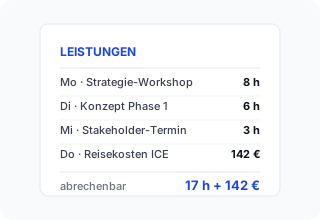
Invoice
At the end of the period teamspace proposes an invoice with all billable items. The required details are in the master data: complete addresses with country, a stored bank account and, for authorities, the Leitweg-ID.
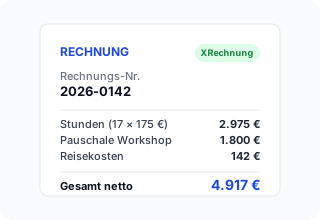
Format
Once e-invoicing is active, teamspace generates both ZUGFeRD and XRechnung for every invoice. Which format is sent is stored per client.
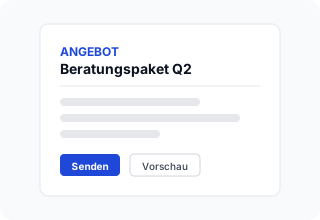
Sending
ZUGFeRD goes out as a PDF by email, XRechnung as an XML attachment. You reach authorities via their invoice portal, by upload or email.
Archive
Every invoice keeps a GoBD-compliant history. On request, 5 POINT activates GoBD mode for audit-proof retention over ten years, exportable even beyond the contract term.
Receiving
E-invoices come in like any other invoice, by email to the inbound mailbox. When teamspace recognises an e-invoice in the attachment, whether ZUGFeRD or XRechnung, it marks it with a barcode symbol.
Nobody retypes the values. With one click the attachment becomes a checked incoming invoice that carries on into the approval and accounting path.
“Our staff appreciate how simple the system is.”

Requirements
For an e-invoice to be accepted by the recipient, a few master data points have to be complete. This is set up once.
Addresses
Bank details
Layout
Setting up
E-invoicing is switched on once, then it runs along. In the configuration under Finances and Documents you activate ZUGFeRD and XRechnung, then you define for whom the format applies.
That way one customer gets their ZUGFeRD invoice and the authority gets their XRechnung, without anyone switching over on every invoice.
What teamspace covers when creating, receiving and retaining e-invoices.
Case Study
Illustrative practical example. Concrete figures depend on the starting point, the industry and the implementation and are not guaranteed. A typical scenario: an IT service provider with 22 employees introduces e-invoicing at the turn of the year, on the receiving side and for selected B2B customers.
Until now only PDF invoices went out by email. With the receiving requirement, incoming e-invoices in several formats have to be processed. At the same time, three major customers require ZUGFeRD or XRechnung from their suppliers.
teamspace recognises incoming e-invoices, reads them out and routes them into approval. For the three major customers the preferred format is stored per client. The invoices are created in the correct format and go out by email with an XML attachment or via the authority portal.
0 €
extra cost for e-invoicing in the billing function
from 2025
ready to receive with no transition phase
1 system
for creating, sending and receiving
Use cases
The e-invoice is one step in the billing path. These areas sit alongside it and share the same data.
Create, send and track quotes, orders and outgoing invoices.
Learn moreReceive supplier invoices, check them and assign them to the project.
Learn moreBill fixed price, time and material and flat rate on the same order.
Learn moreInvoices and documents via the certified interface to DATEV Unternehmen online.
Capture receipts by photo, upload or email and file them centrally.
Learn moreTrack open invoices with staged dunning.
Learn moreCheck an XRechnung or ZUGFeRD file against the EN 16931 rules and read every field, in the browser without uploading it.
Learn moreE-invoicing software comparison
Anyone comparing e-invoicing software comes across two routes: a separate e-invoicing tool that runs alongside the accounting and converts invoice data into ZUGFeRD or XRechnung on import, or an integrated solution that creates the structured format directly when the invoice is sent. The difference is decided less by the format, which the EN 16931 standard prescribes anyway, than by how often someone carries data from one system into another.
Three points are worth a close look in the comparison: is the e-invoice created from the finished invoice, or through an extra converter step? Does the software cover both directions, that is sending and receiving? And is there a separate module or licence surcharge for e-invoicing? In teamspace, ZUGFeRD and XRechnung are created with no second programme, no surcharge and in both directions from the same billing function.
Fit
Part of the invoicing software
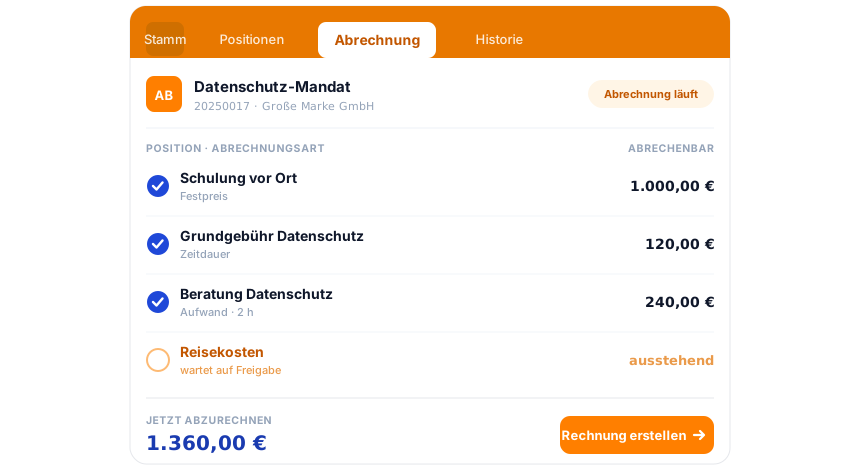
The e-invoice is the last step of a continuous path: the quote becomes the order, the order becomes the invoice, and on sending ZUGFeRD and XRechnung are created. Dunning and the DATEV handover hang on the same document. How it all works together is shown in the invoicing software overview.
To the invoicing softwareWhat it is about
An e-invoice, also called an electronic invoice, is an invoice whose contents are available in a structured, machine-readable format, in Germany as ZUGFeRD or XRechnung. Both follow the European standard EN 16931. A pure PDF does not legally count as an e-invoice, because it lacks the structured data. The right software creates this format directly on sending, rather than rebuilding it through a separate programme.
The actual values of an e-invoice sit in the XML and are not visible without an aid. Anyone who wants to check a finished file visualises it, that is, turns the figures in the background into a readable invoice. If a recipient rejects an invoice and flags a field, an external checking service helps, such as the free visualiser from ELSTER. The format-specific details are on the pages XRechnung erstellen and ZUGFeRD-Rechnung erstellen.
E-invoices are retained like any tax-relevant document. If 5 POINT activates GoBD mode on request, invoices and cancellations stay audit-proof for ten years and can no longer be technically deleted. The data is held exclusively in the EU, in an ISO 27001-certified data centre in Frankfurt am Main, GDPR compliant with a data processing agreement as standard. The contracting party is 5 POINT AG from Darmstadt. Recording is done in time tracking, billing in the invoicing software, and booking via the DATEV export.
Related modules
The data for the e-invoice comes from three modules and flows back into it.
Booked hours become invoice items and so land in the e-invoice. Recording and billing run in the same login.
The project is created from the order, the invoice from the work done. Plan, actual and billing sit in one place.
Customers and authorities are organisations in the CRM. There the address, the preferred format and the Leitweg-ID hang on the contact.
First call
In the 15-minute call you see which formats your recipients expect, what is already in place at your end and where teamspace gets started fastest.